Abstract
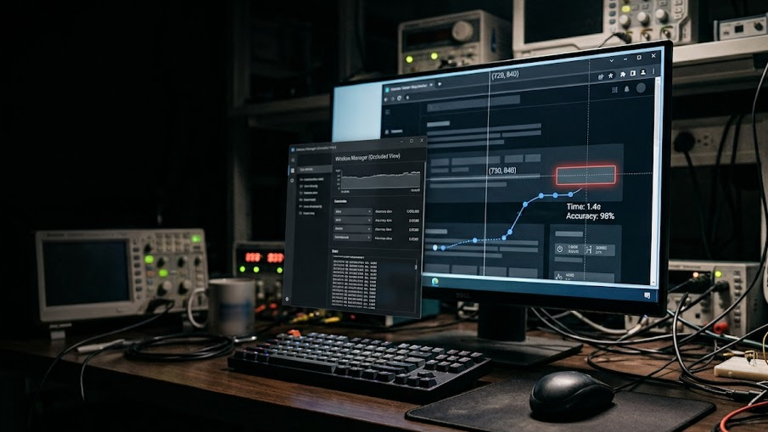
A click is not a click. When an automation agent reports clicked=true, at least six different propositions may be hiding inside that single boolean: it controlled the intended window, identified the intended element, used the correct coordinate space, delivered the intended kind of input, acted on an unobstructed target, and caused the application to accept the action. Any one of those propositions can fail while an API call itself still returns successfully. This field study started with a practical Skynet engineering problem: browser control through the normal signed-in Chrome profile was fast, while some trusted Windows UI Automation (UIA) operations were much slower. Instead of treating UIA and Chrome DevTools Protocol (CDP) as interchangeable click mechanisms, the experiments separated window identity, provider availability, physical-input ownership, transport fidelity, and application acceptance. On this machine, a native UIA provider with a semantic pattern completed 50/50 controlled cross-process invocations with single-digit-millisecond median latency. Physical UIA-derived clicks also completed 50/50 when root-window ownership was proven, and 30/30 deliberately occluded clicks were correctly blocked. In the normal Chrome/Gemini state, the same web control was not available through Windows UIA in 20/20 fresh windows. The attachment investigation also showed that exact browser file-input state could be mistaken for provider delivery.
Index Terms—application acceptance; browser automation; Chrome DevTools Protocol; coordinate systems; input fidelity; UI Automation; Windows automation
I. Introduction
A click is not a click.
When an automation agent reports clicked=true, at least six different propositions may be hiding inside that single boolean: it controlled the intended window, identified the intended element, used the correct coordinate space, delivered the intended kind of input, acted on an unobstructed target, and caused the application to accept the action. Any one of those propositions can fail while an API call itself still returns successfully.
This field study started with a practical Skynet engineering problem: browser control through the normal signed-in Chrome profile was fast, while some trusted Windows UI Automation (UIA) operations were much slower. The tempting response was to replace UIA with Chrome DevTools Protocol (CDP) input. Instead, we separated the control stack into measurable layers and asked a narrower question:
Which layer owns the truth for a given action, and what independent evidence proves that the action landed?
The result was not “UIA wins” or “CDP wins.” It was a hybrid control model, two production defects repaired during the investigation, and several failure modes that would have been invisible if we had accepted transport receipts as application receipts.
II. Background and Related Work
The original article does not contain a dedicated related-work section; its cited platform documentation is retained in References and discussed where it directly supports the measurements.
III. Methodology
Experimental scope
The experiments ran on one Windows machine:
- Windows 10 Pro N, build 19045
- AMD Athlon X4 870K, 4 logical processors
- 7.9 GB RAM
- NVIDIA GeForce GTX 1660
- Google Chrome 151.0.7922.138
- one 1920×1080 display
- Windows system DPI 96, or 100% scaling
- Chrome renderer
--device-scale-factor=1 - normal signed-in Chrome
Profile 1
The browser was not launched with --force-renderer-accessibility, and no explicit Chromium UiaProvider feature flag was present.
This is a bounded single-machine field study, not a mixed-DPI, multi-monitor, cross-browser, or cross-machine benchmark. We do not extrapolate the measured latencies to other hardware or providers. Raw trial-level result files were saved locally and hashed with SHA-256. Invalid long-running browser studies that lost their leased test tab were excluded rather than merged into the valid datasets.
IV. Results
Result 1: bind a connector-created native window at birth
Native-window ambiguity is an avoidable source of desktop automation error. Waiting until later to rediscover a Chrome window by title or by whatever controls happen to be visible couples window identity to mutable UI state.
Skynet instead enumerated visible top-level Chrome HWNDs immediately before a dedicated Gemini window was created and immediately afterward, then computed the set difference.
Across 50 fresh connector-created Gemini windows, the set difference contained exactly one new visible Chrome HWND in 50/50 trials.
- success rate: 100%
- median browser-window creation time: 2,197.817 ms
- mean: 2,240.169 ms
- standard deviation: 248.691 ms
- p95: 2,534.892 ms
- p99: 2,654.542 ms
Dataset SHA-256:
5b49878e7e04d631a5b2292f3200ebaf2b1957d3a92315f63b86035ff0318058
The conclusion is deliberately narrow: on this controlled profile and environment, creation-time HWND correlation was highly repeatable. Production code must still fail closed when the delta is zero or contains more than one candidate. The technique is useful because it establishes native identity before titles, menus, prompts, accessibility trees, or action controls become part of the problem.
Result 2: UIA can be very fast when the provider exposes a semantic control
An early exploratory test on a Gemini web control suggested that an in-process Python COM/UIA path could be much faster than Skynet’s older PowerShell/UIA implementation. That small sample was useful for generating a hypothesis, but it was not a defensible benchmark because Chromium’s accessibility projection changed between runs.
We therefore built a controlled native experiment instead.
A separate helper process created a standard Win32 BUTTON named SKYNET TARGET. The controller ran in another process, resolved the button through UI Automation, verified its identity and state, and used an independent shared counter to prove actual activation.
Semantic InvokePattern
UIA exposed InvokePattern for the native button. Across 50 trials:
- successful application activations: 50/50
- Wilson 95% success interval: 92.87% to 100%
- median action latency: 6.995 ms
- mean: 7.448 ms
- standard deviation: 2.693 ms
- p95: 8.869 ms
- p99: 17.324 ms
- maximum: 25.011 ms
GetClickablePoint plus physical mouse
The same native control was then activated by GetClickablePoint, exact foreground/root-window ownership verification, and a physical Windows mouse down/up. Across 50 trials:
- successful application activations: 50/50
- Wilson 95% success interval: 92.87% to 100%
- median action latency: 3.973 ms
- mean: 4.359 ms
- standard deviation: 1.569 ms
- p95: 7.101 ms
- p99: 8.322 ms
- maximum: 8.745 ms
The final application counter was exactly 100: 50 semantic invocations plus 50 foreground physical clicks.
Dataset SHA-256:
06c07aa8757c0516eb55a5e57105e7d5cf4b578835b9ac5c602fe4ab2065fcb4
This result does not mean that UIA is always a 4-7 ms technology. It means that a persistent client talking to a native provider that exposes the correct semantic pattern can be very fast. Microsoft’s UIA documentation also notes that property and pattern retrieval can require cross-process calls and that caching requested properties and patterns in a batch can improve performance.
The engineering implication for Skynet is therefore not “remove UIA.” It is “keep UIA narrow, persistent, pattern-aware, and cached when possible.”
Result 3: physical coordinates are not enough – occlusion changes ownership
The native control study also tested z-order explicitly.
An owned Notepad window was moved above the exact physical clickable point. Before sending a physical mouse click, the controller used WindowFromPoint and root-window ownership to determine which top-level window actually owned that point.
Across 30 intentional occlusion trials, all 30/30 were blocked as expected and the target application counter did not increment.
That is the distinction between “I know where the control was” and “the point is currently safe to click.” For physical input, a robust receipt therefore needs both semantic target identity and immediate z-order/occlusion proof. Coordinates alone are stale the moment another window covers them.
Result 4: UIA availability is itself a capability that must be proven
The Gemini web-content control produced a different result.
On 20 fresh connector-created Gemini windows, Skynet fixed the exact HWND at creation time, foregrounded that window, and repeatedly searched only that window for the Upload & tools button in the Windows UIA tree.
The target appeared in 0/20 runs during the bounded observation.
Dataset SHA-256:
bff3a7b3b138cd6c3f70db84d62f50eff14de2f77083915720ccf13ef1cb177b
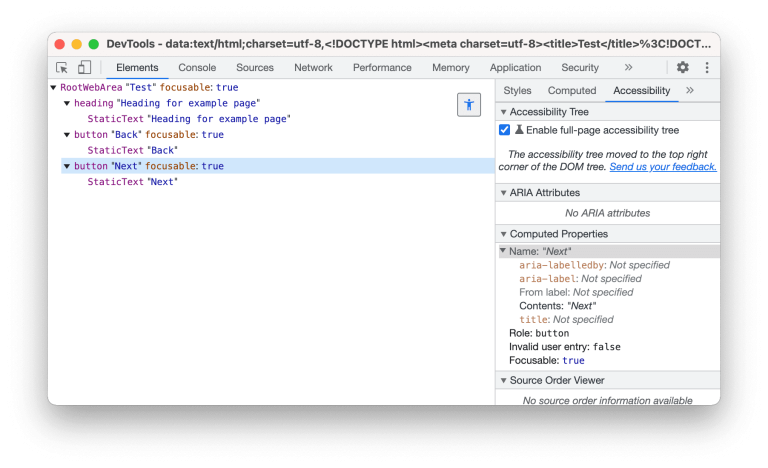
This is not evidence that “UIA is broken.” Chromium’s own accessibility documentation explains why such a result is plausible: browser accessibility data is generated conditionally for performance, can be explicitly enabled with renderer-accessibility switches, and Chromium’s newer Windows UIA provider has its own enablement path.
The tested Chrome process had neither forced renderer accessibility nor an explicit UIA-provider flag.
The correct engineering rule is: before timing or invoking a UIA action, first prove that the required provider surface exists. A browser DOM element and a Windows UIA element are not interchangeable truths.
Result 5: coordinate systems must remain explicit
Microsoft documents UIA clickable points and bounding rectangles in physical screen coordinates. CDP’s Input.dispatchMouseEvent, by contrast, defines x/y in main-frame viewport CSS pixels.
Those are different coordinate spaces even when they refer to the same visible control.
This study ran at 96 DPI / 100% scale, so it cannot validate mixed-DPI transformations. That limitation is explicit. Microsoft’s own guidance says UIA clients need DPI-aware handling outside 96 DPI.
Skynet’s control contract should therefore carry coordinate-space identity as metadata rather than passing naked (x, y) pairs between layers. A DOM coordinate must not silently become an OS mouse coordinate, and a UIA physical coordinate must not silently become a CDP viewport coordinate.
Result 6: protocol success did not produce a browser click on the tested Gemini control
During the study we discovered an instrumentation problem in our own CDP bridge. The validator preserved button='left' but silently discarded the protocol’s buttons bitfield. That meant a supposedly complete mouse press could not faithfully express buttons=1 during the pressed state.
We fixed the bridge under Skynet’s blast-radius guard. The validator now preserves buttons=0/1 and rejects unsupported bitfields. The focused security suite passed 60 tests, and a later relevant regression run passed 95/95.
Guarded repair receipt SHA-256:
b550fa523ca83ce2c15d44fff2cda4847bd199831fa55bcfdc82ad8dd014fe28
After the instrumentation fix, we reran a short mechanistic experiment against Gemini’s Upload & tools control using the complete three-command CDP sequence: mouseMoved, mousePressed with button='left' and buttons=1, then mouseReleased with buttons=0.
A page listener recorded event types that actually reached the target control, and the menu state was read independently afterward.
Across 5 trials, the expected menu state appeared in 0/5. Only one trial observed hover events (pointerover, pointerenter, mouseover, mouseenter); the target listener observed no pointerdown, mousedown, pointerup, mouseup, or click in the sample.
A Runtime.evaluate call to the DOM button’s click() method also failed the application menu postcondition in 0/5 trials in this current Gemini state, while its observed DOM events were untrusted.
Dataset SHA-256:
02aa7ec8b29303df7aefb70c7c422f778365f964d9228853f6f1de5e3028d574
This is deliberately not presented as a CDP performance benchmark or as evidence that CDP mouse input is generally defective. It is a failure-mode observation for this specific application state and authenticated extension/CDP transport. The meaningful result is that a successful protocol transaction is not sufficient evidence of application acceptance.
Result 7: exact browser file-input state can still be a false success
The most consequential production defect discovered during the project involved attachments.
Skynet’s extension could construct a DataTransfer, assign a synthetic FileList to Gemini’s hidden file input, read the exact filename and byte size back from the input, and report exact_file_input_readback=true.
That proved local browser input state. It did not prove that Gemini had accepted or hydrated the attachment.
In a controlled observation, the browser input readback succeeded while Gemini’s visible provider surface never established the file as an accepted attachment during the observation window.
The production advisor code contained a second defect: after provider-readiness verification failed, exact file-input readback could still count as successful delivery.
That fail-open behavior was removed. Gemini attachment delivery now fails closed unless provider-side readiness is proven. The focused advisor/evidence suite passed 54 tests after the repair.
Guarded repair receipt SHA-256:
14f3a0552bf2022ee9451cd26c73ea530015a828bc32e8d60ed817c9456bd075
This finding generalizes more safely than any timing number: local state, transport state, and provider acceptance are different receipt classes. A file in an input element, text in a composer, a successful protocol command, or an automation method returning without exception can all be true while the requested side effect still did not happen.
V. Discussion
The six-layer click truth model
The experiments suggest replacing generic clicked=true with six explicit proofs.
1. Window identity
Which browser tab or native HWND is actually controlled? Bind connector-created native windows at creation time where possible; fail closed on ambiguity.
2. Element identity
Which semantic element is intended? Use exact accessible name, role/control type, automation ID when useful, DOM identity, and uniqueness appropriate to the owning layer.
3. Coordinate-space identity
Are coordinates viewport CSS pixels, logical desktop coordinates, or physical screen coordinates? Make the coordinate system part of the contract.
4. Action transport and fidelity
Was the action a UIA semantic pattern, a physical Windows mouse event, CDP input, DOM script activation, or a synthetic browser event? These transports do not have identical semantics.
5. Foreground and occlusion proof
For physical input, who owns the point at the instant of action? A semantic element that is valid but covered should not be clicked.
6. Independent application acceptance
What changed on a separate surface after the action? Examples include DOM state, URL transition, application counter, accessibility state, stored server state, or another durable receipt.
Architecture implication for Skynet
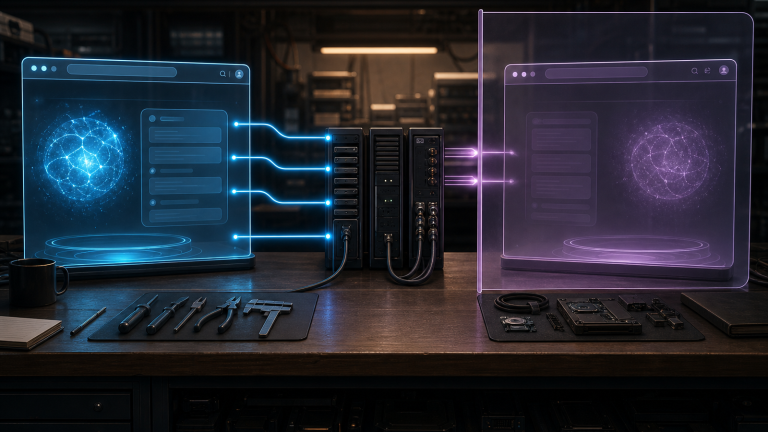
The strongest design is not a universal automation API. It is a layered controller.
- Use browser-native state for browser-owned truth.
- Keep exact browser-tab leases separate from exact native HWND identity.
- Bind native windows when they are created instead of rediscovering them from later mutable state.
- Use UIA semantic patterns when the provider exposes the right pattern.
- If physical fallback is required, verify exact semantic target, clickable point, foreground, and root-window ownership immediately before input.
- Keep coordinate spaces explicit.
- Never upgrade a transport receipt into a provider-acceptance receipt without an independent postcondition.
- Fail closed when an expected accessibility or provider surface is absent.
WebDriver BiDi is also worth tracking for browser-side work because its bidirectional model provides event streaming and a standardized input module, including file-input operations. It does not replace Windows UIA for desktop surfaces, but it offers another browser-native source of state and postconditions.
VI. Threats to Validity
Limitations
This single-machine engineering field study does not establish mixed-DPI correctness, multi-monitor correctness, cross-browser equivalence, universal CDP failure, UIA superiority, production reliability for Gemini’s current UIA projection, or cross-hardware latency distributions.
The 50-trial native UIA study is a controlled Win32-provider experiment, not a benchmark of Chrome’s accessibility provider. The corrected Gemini CDP event study is mechanistic and small-N. Long browser studies that lost their leased test tab were excluded rather than selectively reported.
Those limitations are features of the evidence contract, not footnotes to hide.
VII. Conclusion
The useful engineering question is not “UIA or CDP?”
It is: which layer owns the truth for this action, and what independent evidence proves the action landed?
On this machine, a native UIA provider with a semantic pattern completed 50/50 controlled cross-process invocations with single-digit-millisecond median latency. Physical UIA-derived clicks also completed 50/50 when root-window ownership was proven, and 30/30 deliberately occluded clicks were correctly blocked. In the normal Chrome/Gemini state, the same web control was not available through Windows UIA in 20/20 fresh windows, which reinforces that accessibility-provider availability must itself be proven. The corrected CDP experiment showed that protocol-level success still did not imply the Gemini application accepted a click. And the attachment investigation found a production bug where exact browser file-input state could be mistaken for provider delivery.
Reliable computer control is not one click API. It is a chain of identity, semantics, coordinates, transport fidelity, visibility, and independent acceptance proof.
Key Takeaways
- Window identity. 50/50 connector-created Gemini windows produced exactly one new visible Chrome HWND in the controlled birth-binding study.
- Native UIA. A separate-process Win32 control passed 50/50 InvokePattern and 50/50 foreground physical-click trials; 30/30 occluded clicks were blocked.
- Provider availability. Chrome web-content UIA availability was not assumed: the target was absent in 20/20 fresh Gemini windows under the tested configuration.
- CDP instrumentation. A bug dropping the mouse buttons bitfield was repaired and regression-tested before interpreting the corrected mechanism test.
- Acceptance proof. A production attachment bug showed exact browser file-input state is not provider acceptance; Skynet now fails closed without provider readiness.
References
- [1] Microsoft Learn – UI Automation CacheRequest: https://learn.microsoft.com/en-us/dotnet/api/system.windows.automation.cacherequest?view=windowsdesktop-10.0
- [2] Microsoft Learn – UI Automation screen scaling: https://learn.microsoft.com/en-us/windows/win32/winauto/uiauto-screenscaling
- [3] Chrome DevTools Protocol – Input domain: https://chromedevtools.github.io/devtools-protocol/tot/Input/
- [4] Chromium – UI Automation: https://chromium.googlesource.com/chromium/src/+/refs/heads/main/docs/accessibility/browser/uiautomation.md
- [5] Chromium – Accessibility technical documentation: https://www.chromium.org/developers/design-documents/accessibility/
- [6] W3C – WebDriver BiDi: https://www.w3.org/TR/webdriver-bidi/